
Appointments
Let customers book your services online, day and night.
20 features in 4 groups. Included in Business and Enterprise
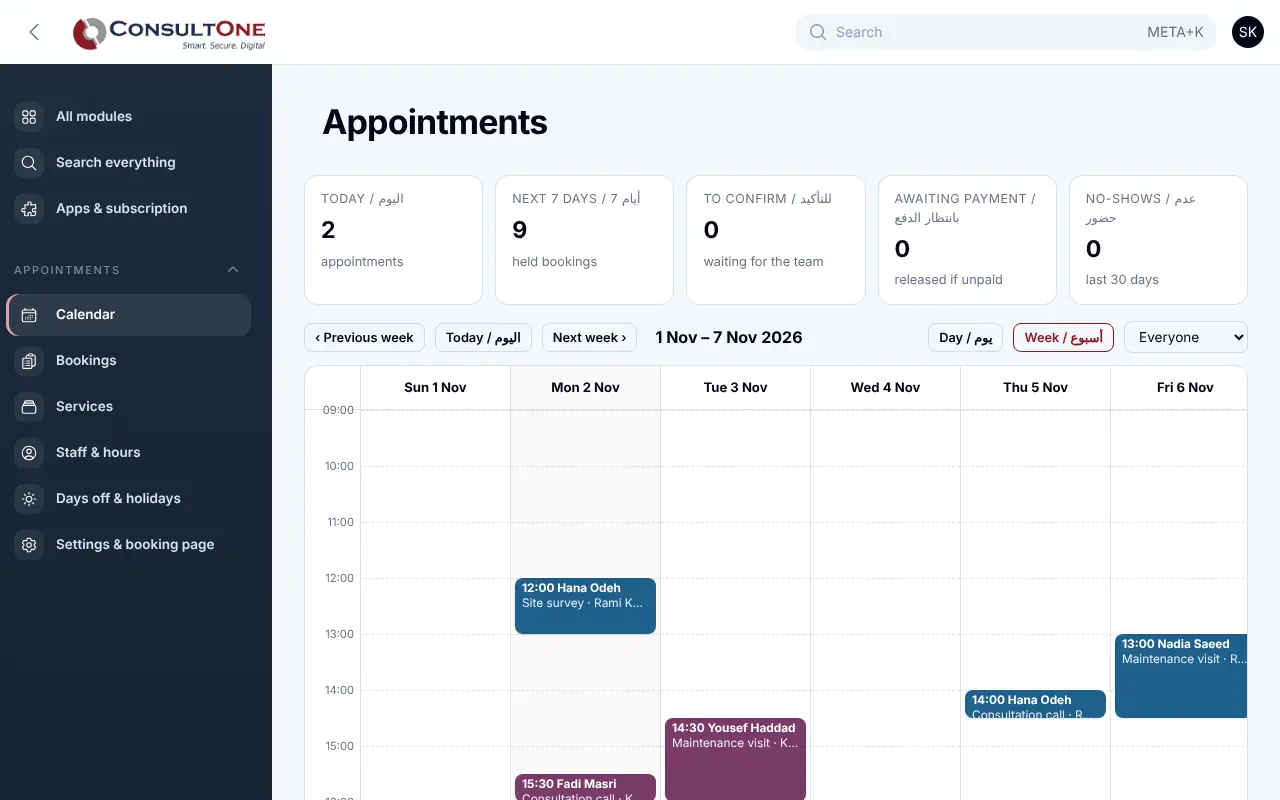
Bookings by phone during working hours only, double bookings, and customers who forget to come.
With Appointments
For clinics, consultants, salons and service firms: publish a booking page, set each person's hours, and let customers pick a free time. Deposits go through your Finance invoices, and every booking lands on the customer's CRM timeline.
Group 1 of 4, 5 features
Services and staff
- Services in English and Arabic with duration, buffer before and after, price and currency
- In person, online meeting or phone call, with the address or link
- Minimum notice, booking window and a daily cap per person
- Staff linked to HR employees or typed in, each with weekly hours, split shifts and breaks
- Public holidays and personal days off; Jordan's fixed holidays are ready
Group 2 of 4, 5 features
Booking page
- Your own link: service, person or "anyone", day, free time, details, done
- Free times worked out on the server from hours, breaks, bookings and buffers, holidays and limits, in your time zone
- English and Arabic (right to left), made for phones, with spam protection
- Two people can never take the same time
- A manage link for the customer: add to calendar, move or cancel within your policy
Group 3 of 4, 4 features
Your team's day
- Day and week calendar per person
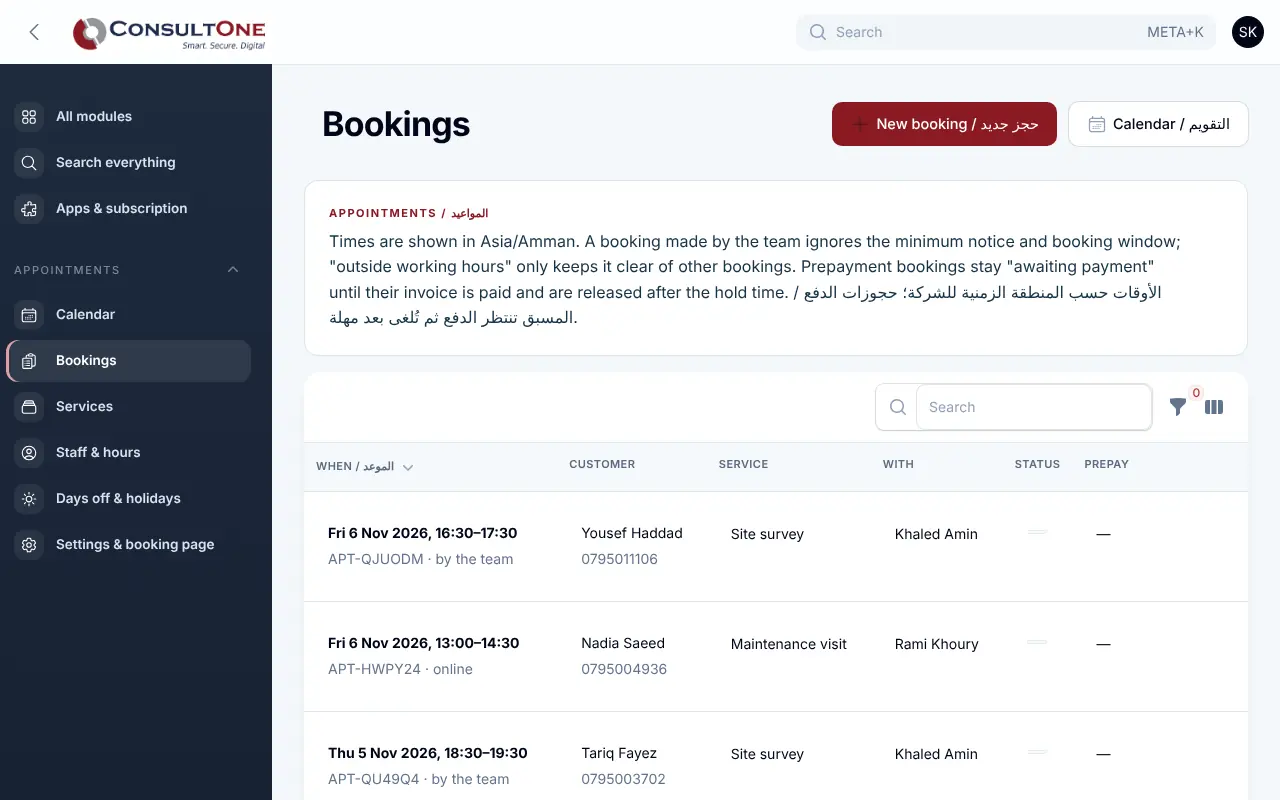
- Bookings list with filters; book by phone, move, cancel, confirm
- Mark attended or no-show
- Confirm every booking yourself, or confirm at once
Group 4 of 4, 6 features
Payments and messages
- Deposit or full prepayment through a Finance invoice and its payment page
- Unpaid bookings are released after the time you choose
- Confirmation, reminder and cancellation emails; notices to the staff member
- Each booking creates or finds the CRM contact and joins its timeline
- Meetings in the CRM, including synced calendar events, block those times
- Automation triggers when an appointment is booked or cancelled
How it works
- 1
Add services and staff
Durations, prices and who offers what, then each person's hours.
- 2
Choose your page address
Set the link, colours and welcome text, and share it.
- 3
Customers book
They pick a free time; you see it on the calendar at once.
Works with
Apps it connects with inside the Portal. Each has its own presentation.
- CRM & ContactsEvery customer conversation, deal and follow-up in one place.
- Finance & AccountingInvoicing to financial statements, built for Jordan and the Gulf.
- HR & PayrollEmployees, attendance, leave, claims and payroll for Jordan, the UAE and Saudi Arabia.
- Automation & APIRules that act on your data, signed webhooks and a REST API for your own systems.
Settings and security
Settings you control
- Time zone, start-time interval and confirmation mode
- Cancellation policy, reminder time and payment hold
- Booking page address, colour and welcome text
Your data stays your company's
- Every company has its own separate books that no other company can see.
- Two-step sign-in is required for owners and administrators.
- Access by role: owner, administrator, accountant, staff, read only.
Plans that include it
Plans that include this app are marked. Every self-service plan starts with a 14-day free trial.
Starter
- Finance & Accounting
- E-invoicing
- Sales: quotes & orders
- CRM & Contacts
- HR & Payroll
- Customer portal
- Reports & Dashboards
- Up to 2 users
Business
Includes this app- Everything in Starter, plus:
- Inventory, POS & Store
- Projects & timesheets
- Helpdesk & Help Centre
- Appointments
- Document signing
- Up to 5 users
Professional
- Finance & Accounting
- E-invoicing
- Sales: quotes & orders
- CRM & Contacts
- HR & Payroll
- Inventory, POS & Store
- Projects & timesheets
- Helpdesk & Help Centre
- Document signing
- Customer portal
- Reports & Dashboards
- Automation & API
- Up to 15 users
Enterprise
Includes this app- Everything in Professional, plus:
- Appointments
- No limit on users
Prices in Jordanian dinars per month.
Questions before you start
Can two customers book the same time?
No. Each booking reserves its time, including the buffers, the moment it is saved; a second booking for an overlapping time is refused.
Do customers need an account?
No. They give their name and mobile, and get a private link to manage the booking.
How are deposits paid?
The booking creates a Finance invoice and sends the customer to its payment page; the booking is confirmed when the invoice is paid.
Open your workspace today
14-day free trial, no card needed. Two-step sign-in is on from day one.