
Available now

Finance & Accounting

Invoicing to financial statements, built for Jordan and the Gulf.

40 features in 6 groups. Included in Starter, Business, Professional, Enterprise and Business (founding rate)
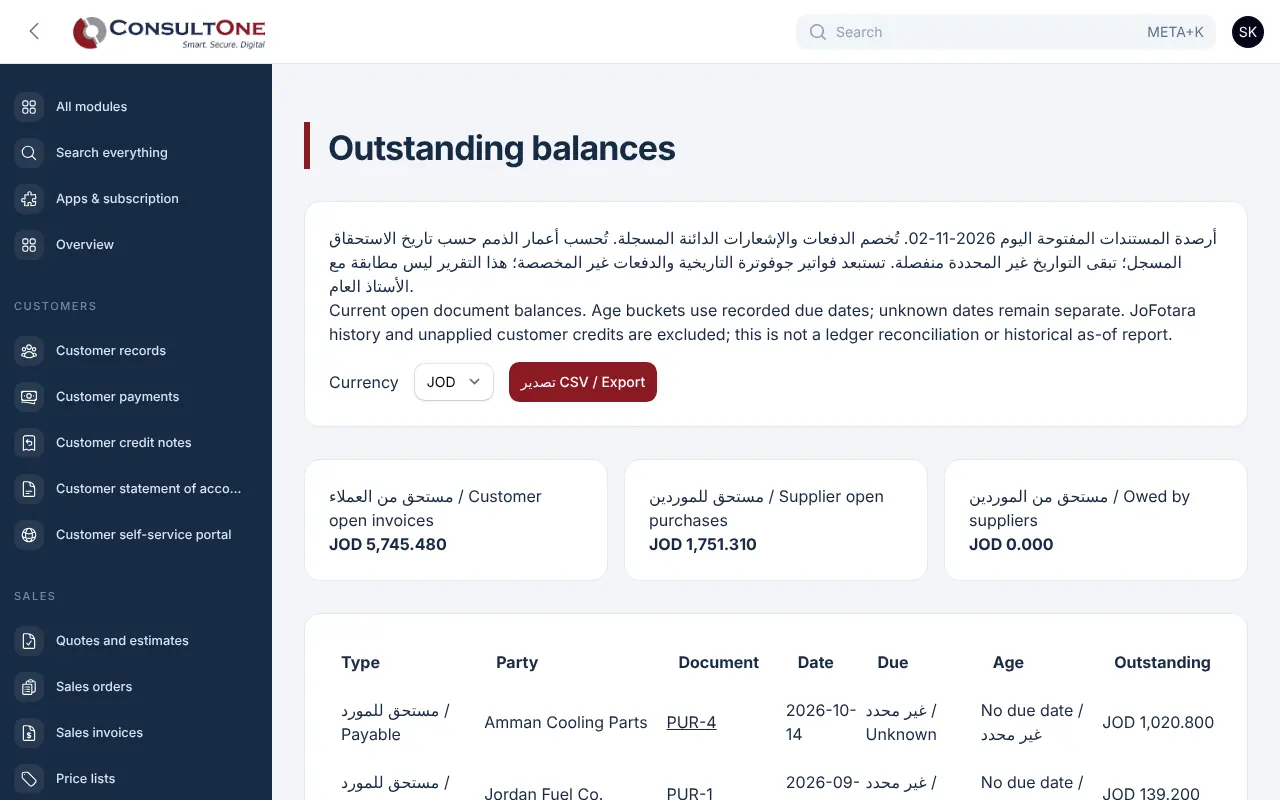
Finance & Accounting in the Portal, with the sample company Demo Trading Co.

Invoices in one place, receipts in another, the bank in a spreadsheet and the month closed weeks late. Nobody can say what is owed today.

With Finance & Accounting

Issue invoices, collect payments, record purchases and expenses, reconcile the bank and close the month with real double-entry books. Your accountant gets clean exports; you get a clear picture every day.

  1. Invoicing and collecting6 features
  2. Purchases and expenses8 features
  3. Bank and cash5 features
  4. Accounting9 features
  5. Month-end close and review9 features
  6. Reports and your accountant3 features

Group 1 of 6, 6 features

Invoicing and collecting

  • Invoices in English, Arabic or both, with your logo and numbering
  • Recurring invoices on a schedule
  • Credit notes linked to the original invoice
  • Customer payment page with card payment through your gateway
  • Receipts allocated across invoices, part payments and overpayments
  • Customer account and statement, outstanding balances and ageing
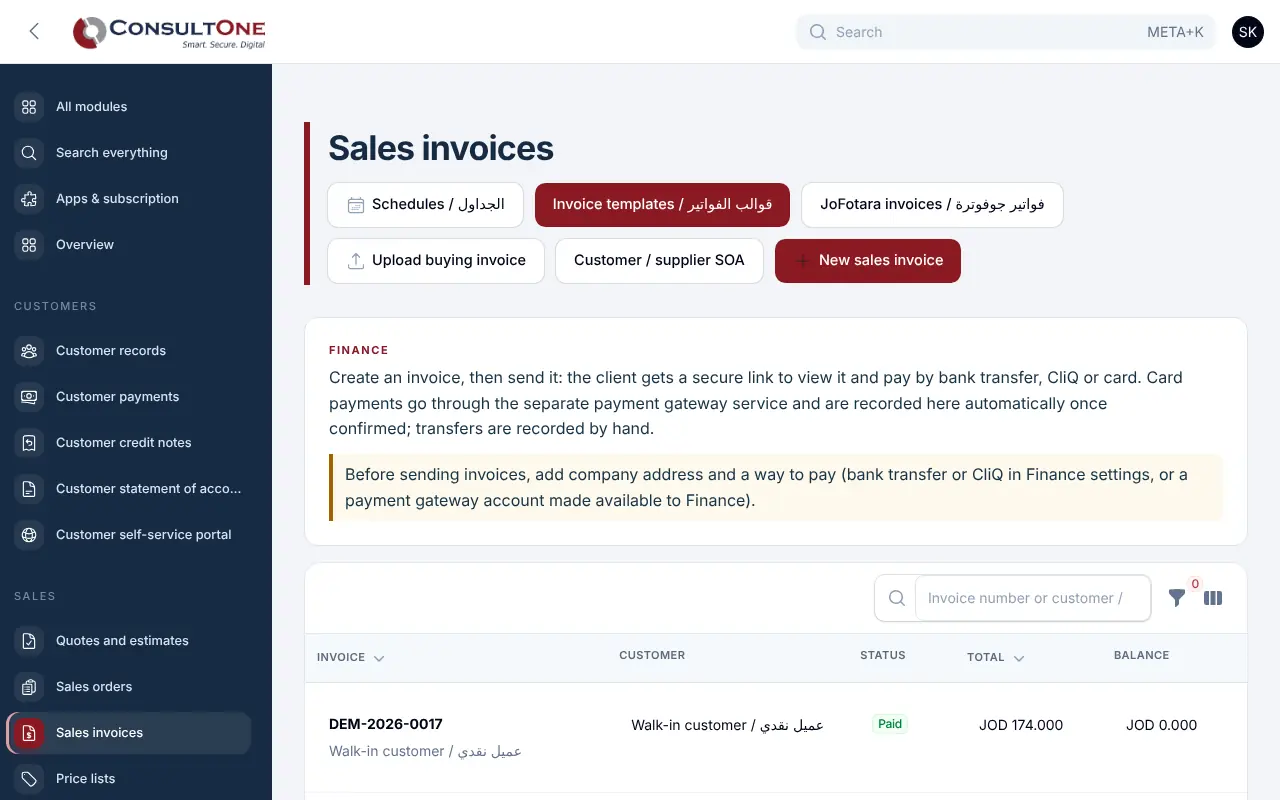
Invoicing and collecting in the Portal, with the sample company Demo Trading Co.

Group 2 of 6, 8 features

Purchases and expenses

  • Suppliers, purchase orders and supplier invoices
  • Upload supplier documents and statements; reconcile them line by line
  • Bills by email: a bills mailbox (Microsoft 365 or IMAP) or a signed inbound webhook hands supplier emails with their PDF, XML and photo attachments to document reading, each email once
  • Supplier payments, credits and refunds with their own ledger
  • Expenses with receipt attachments and approval controls
  • Reads supplier invoices and receipts: e-invoice XML, ZATCA and JoFotara QR codes, and PDF text in Arabic or English, with a confidence for every field
  • Review each document beside the original; the supplier is matched by tax number or name, with category and tax rate suggested from past bills
  • Duplicate warnings and supplier rules learnt from your corrections

Group 3 of 6, 5 features

Bank and cash

  • Bank, cash and CliQ accounts with live balances
  • Bank statement import and reconciliation
  • Bank rules that rank suggested matches and propose the document for an unmatched line; nothing is matched without you
  • Cash-flow view by period
  • 13-week and 6-month cash forecast from open invoices, bills, recurring invoices and payroll, with scenarios, a low-cash warning and CSV export
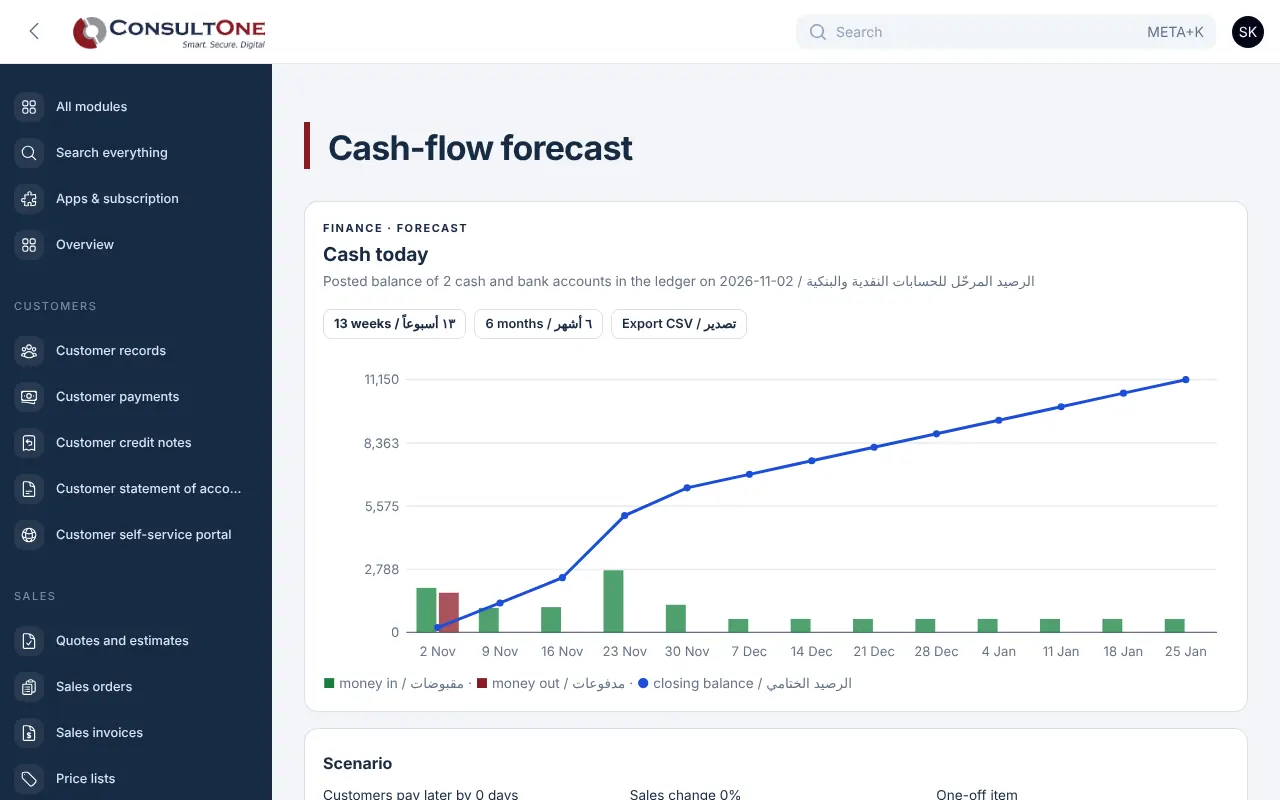
Bank and cash in the Portal, with the sample company Demo Trading Co.

Group 4 of 6, 9 features

Accounting

  • Chart of accounts and journals, every document posted automatically
  • Period locks so closed months stay closed
  • Profit and loss, balance sheet and trial balance
  • Fixed assets register with depreciation and disposals
  • Perpetual inventory: goods receipts, cost of goods sold, returns and stock adjustments post their own journals at weighted average cost; goods received not invoiced is cleared by the supplier bill
  • Budgets per account and month, company-wide or per cost centre, with budget against actual
  • Foreign-currency receivables, payables and bank balances revalued at period end and reversed automatically
  • VAT returns per country and period with drill-down, Excel and print; filing locks the period
  • Accounting review page that flags anything out of balance
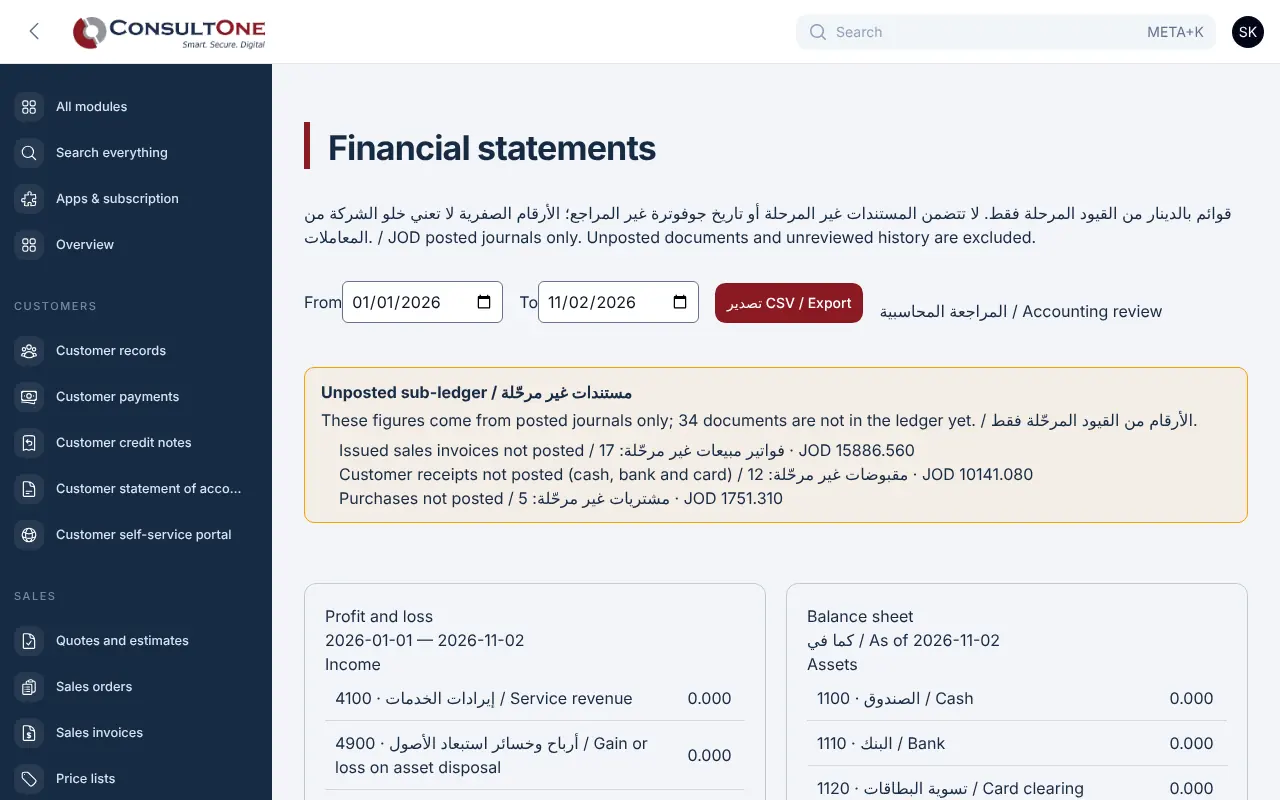
Accounting in the Portal, with the sample company Demo Trading Co.

Group 5 of 6, 9 features

Month-end close and review

  • Close checklist per month from your own template: tasks by close day, dependencies, owner, status and notes
  • Automatic close checks from the books: bank reconciled, unposted documents, clearing accounts, customer and supplier balances to control accounts, depreciation, revaluation, recurring entries, tax return when due, trial balance
  • Preparer and reviewer sign-off, then the month is locked; reopening needs a reason and is logged
  • Statements against last month, the same month last year, year to date or budget, with materiality flags, saved commentary and a profit bridge
  • Reconciliations of receivables, payables, bank and cash, VAT and inventory with categorised, aged reconciling items
  • Manual journals with supporting files, auto-reversing accruals, monthly templates and a second approver above your limit
  • Cash-flow statement (indirect method) with the same comparisons and commentary, reconciled to the bank and cash balances in the close checks
  • Statement of changes in equity that ties to the balance sheet, with period comparison, CSV and print
  • Income-tax provision at period end from editable rates per company (Jordan by sector with the national contribution, Saudi income tax or zakat, UAE 9% above the 0% band): worksheet with adjustments, provision journal, profit before and after tax on the statements

Group 6 of 6, 3 features

Reports and your accountant

  • Sales, purchases, tax and ledger reports; print or download
  • Monthly accountant exports to Excel
  • Team access by role: owner, administrator, accountant, staff, read only

How it works

  1. Set up your company

    Tax number, currency, numbering and your logo.

  2. Invoice and collect

    Send the invoice link; record receipts as they arrive.

  3. Record purchases and costs

    Upload supplier documents and expenses with their receipts.

  4. Reconcile and close

    Match the bank, lock the month and export for your accountant.

Settings and security

Settings you control

  • Default currency and tax
  • Invoice design and numbering
  • Country tax profiles
  • Team roles and access checks
  • Email sending: invoices and receipts go out from your own address (dedicated sender, a mailbox or your Mailing service), with SPF/DKIM/DMARC guidance and an outbox of every email

Your data stays your company's

  • Every company has its own separate books that no other company can see.
  • Two-step sign-in is required for owners and administrators.
  • Access by role: owner, administrator, accountant, staff, read only.

Plans that include it

Plans that include this app are marked. Every self-service plan starts with a 14-day free trial.

Prices in Jordanian dinars per month.

Questions before you start

Is this real double-entry accounting?

Yes. Every invoice, receipt, purchase and expense posts balanced journal entries, and closed periods are locked.

Can my external accountant work in it?

Invite them with the accountant role, or send the monthly Excel export.