
Document signing
Send documents for signature and get them back signed, with proof.
12 features in 3 groups. Included in Business, Professional and Enterprise
Print, sign, scan and email back: contracts stall for days, and there is no record of who signed what and when.
With Document signing
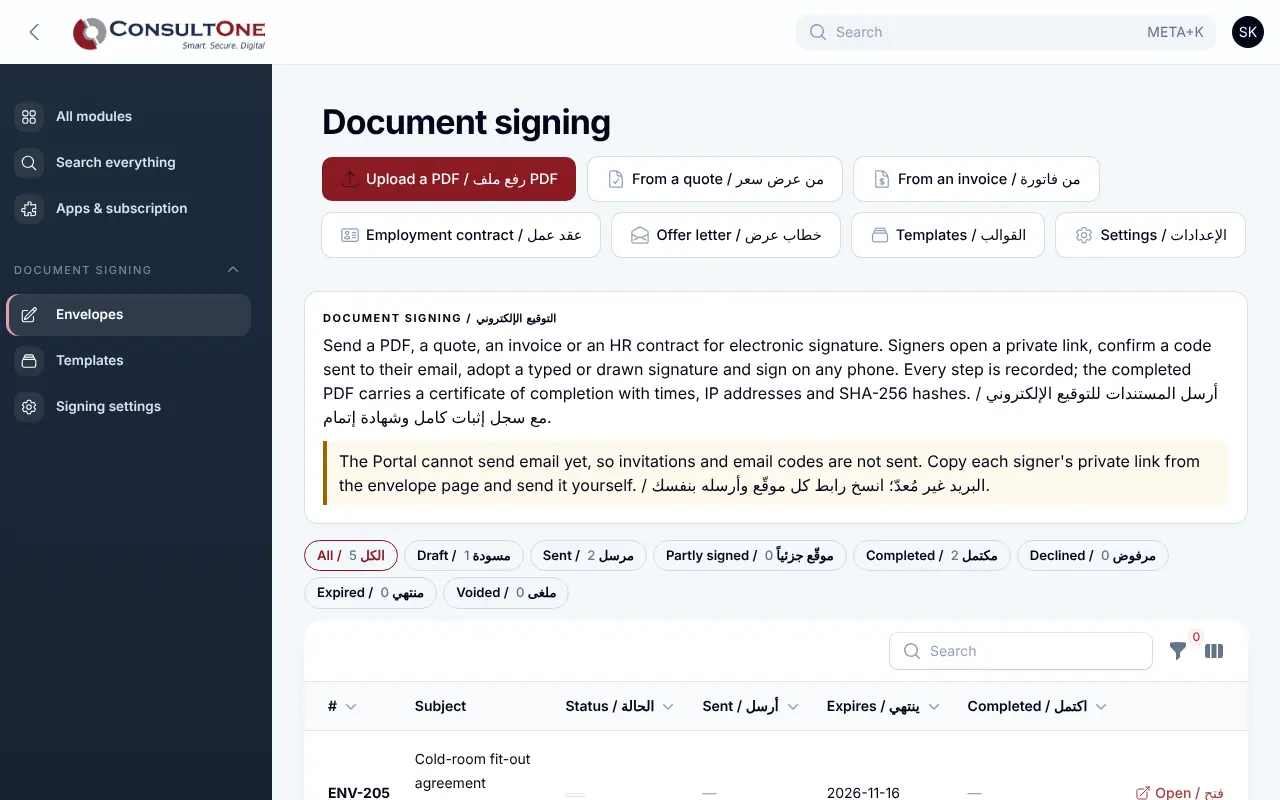
Upload a PDF or turn a quote, an invoice, an employment contract or an offer letter into a document to sign. Your signers open a private link on any phone, confirm a code sent to their email, sign by typing or drawing, and everyone gets the completed PDF with a certificate of completion.
Group 1 of 3, 5 features
Envelopes
- Upload a PDF, or build it from a quote, an invoice, an employee contract or an offer letter
- Signers, approvers and copy-only recipients, in order or all at once
- Signature, initials, date signed, name, text and checkbox fields placed on the pages
- Message, expiry date, reminders, new links, voiding
- Reusable templates with their field layout
Group 2 of 3, 3 features
Signing
- A private link that works on phones, in English and Arabic
- One-time code sent to the signer's email before signing
- Typed or hand-drawn signature, or decline with a reason
Group 3 of 3, 4 features
Proof
- Every step recorded with time, IP address and device; the record cannot be changed
- SHA-256 fingerprints of the original and the signed PDF
- Signatures placed on the pages and a certificate of completion added to the PDF
- A quote signed this way is marked accepted; status shows on the CRM contact
How it works
- 1
Prepare
Upload or pick a record, add signers and place the fields.
- 2
Send
Each signer gets a private link in turn.
- 3
Keep the proof
Download the signed PDF with its certificate.
Works with
Apps it connects with inside the Portal. Each has its own presentation.
- Sales: quotes & ordersQuotes your customers accept online, and orders you invoice in full or in parts.
- Finance & AccountingInvoicing to financial statements, built for Jordan and the Gulf.
- CRM & ContactsEvery customer conversation, deal and follow-up in one place.
- HR & PayrollEmployees, attendance, leave, claims and payroll for Jordan, the UAE and Saudi Arabia.
Settings and security
Settings you control
- Default expiry and reminders
- Email code before signing
- Envelope numbering
- Templates
Your data stays your company's
- Every company has its own separate books that no other company can see.
- Two-step sign-in is required for owners and administrators.
- Access by role: owner, administrator, accountant, staff, read only.
Plans that include it
Plans that include this app are marked. Every self-service plan starts with a 14-day free trial.
Starter
- Finance & Accounting
- E-invoicing
- Sales: quotes & orders
- CRM & Contacts
- HR & Payroll
- Customer portal
- Reports & Dashboards
- Up to 2 users
Business
Includes this app- Everything in Starter, plus:
- Inventory, POS & Store
- Projects & timesheets
- Helpdesk & Help Centre
- Appointments
- Document signing
- Up to 5 users
Professional
Includes this app- Finance & Accounting
- E-invoicing
- Sales: quotes & orders
- CRM & Contacts
- HR & Payroll
- Inventory, POS & Store
- Projects & timesheets
- Helpdesk & Help Centre
- Document signing
- Customer portal
- Reports & Dashboards
- Automation & API
- Up to 15 users
Enterprise
Includes this app- Everything in Professional, plus:
- Appointments
- No limit on users
Prices in Jordanian dinars per month.
Questions before you start
Does the signer need an account?
No. They open the private link from their email and sign on any phone or computer.
What do I get at the end?
One PDF: your original pages with the signatures on them, followed by a certificate of completion listing the signers, times, IP addresses and fingerprints.
Open your workspace today
14-day free trial, no card needed. Two-step sign-in is on from day one.