
Helpdesk & Help Centre
Support tickets with targets, and a help centre that answers first.
17 features in 3 groups. Included in Business, Professional, Enterprise and Business (founding rate)
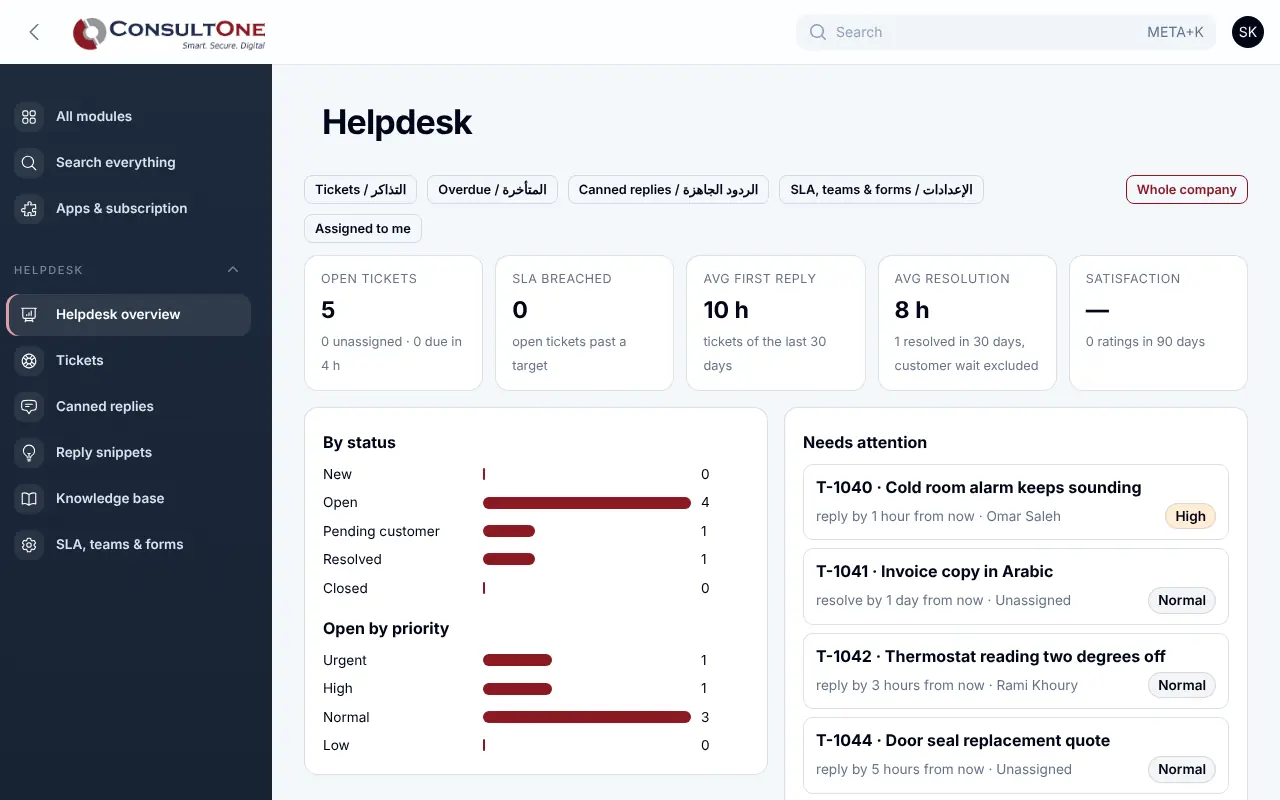
Support requests arrive by email, phone and chat, and no one can say which are waiting or how long they have waited.
With Helpdesk & Help Centre
Every request from your website form, your support mailbox or the phone becomes a ticket with a reply and resolution target. Your bilingual help centre answers common questions, and suggests articles while customers type their request.
Group 1 of 3, 5 features
Tickets
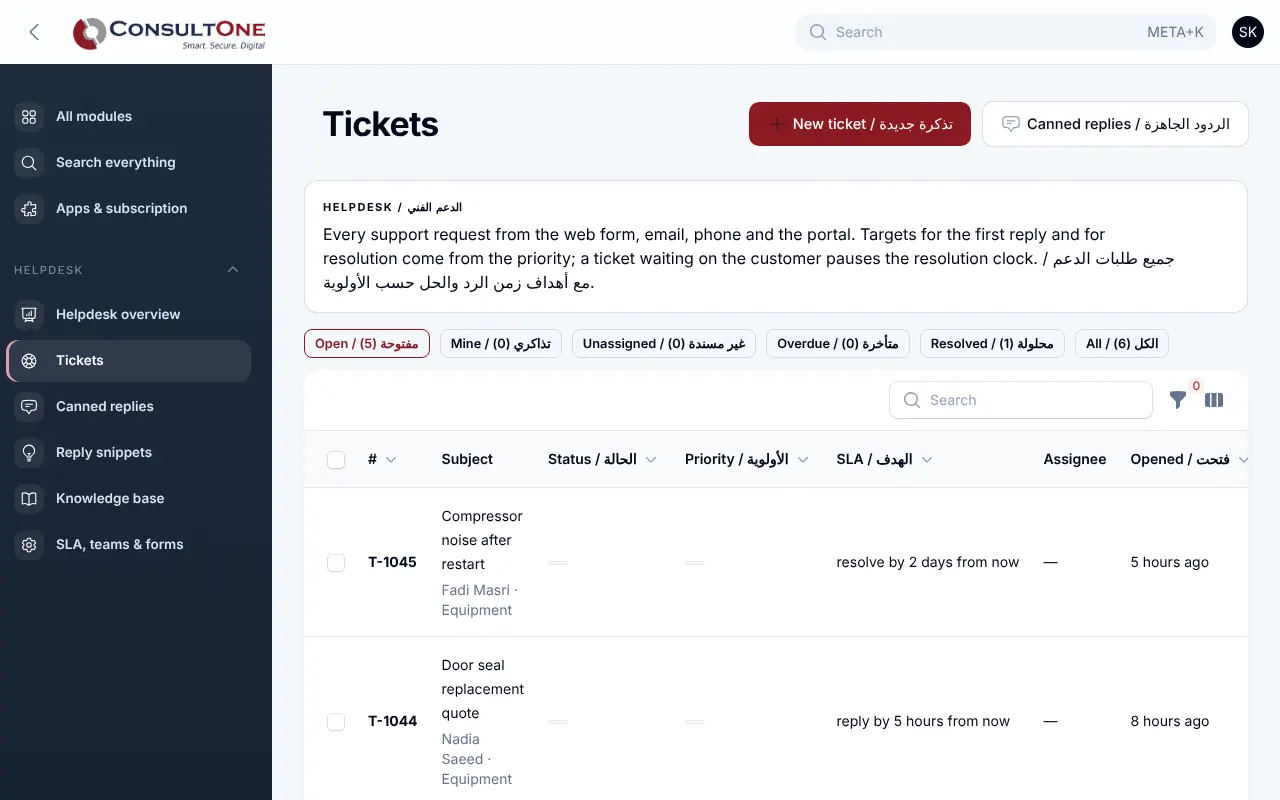
- Queues: open, mine, unassigned and overdue
- Reply and resolution targets by priority; waiting on the customer pauses the clock
- Teams, assignees and tags
- Internal notes and canned replies
- Up to three suggested replies from your canned replies, snippets and past resolved tickets; the agent edits and sends
Group 2 of 3, 6 features
Customers
- Public support form, hosted or on your own website
- Email to your support mailbox becomes a ticket (Microsoft 365 or IMAP)
- Replies and acknowledgements go out from your own address (support mailbox or company sender), threaded so customer answers land on the ticket
- Status page where the customer follows and replies
- 1–5 satisfaction rating after resolution
- Requesters linked to CRM contacts
Group 3 of 3, 6 features
Help centre
- Categories, sections and articles in English and Arabic
- Public, client-portal-only or internal articles
- Search that matches Arabic spelling variants
- Revision history with restore and review reminders
- Helpful yes/no, views and searches with no result
- Suggested articles on the support form and on tickets
How it works
- 1
Set your targets
Reply and resolution times per priority.
- 2
Add your form
Link the hosted page or paste the code on your site.
- 3
Write your answers
Publish articles; customers find them before they ask.
Works with
Apps it connects with inside the Portal. Each has its own presentation.
Settings and security
Settings you control
- SLA targets, teams and forms
- Help centre address and search-engine visibility
- Review period for articles
Your data stays your company's
- Every company has its own separate books that no other company can see.
- Two-step sign-in is required for owners and administrators.
- Access by role: owner, administrator, accountant, staff, read only.
Plans that include it
Plans that include this app are marked. Every self-service plan starts with a 14-day free trial.
Starter
- Finance & Accounting
- E-invoicing
- Sales: quotes & orders
- CRM & Contacts
- HR & Payroll
- Customer portal
- Reports & Dashboards
- Up to 2 users
Business
Includes this app- Everything in Starter, plus:
- Inventory, POS & Store
- Projects & timesheets
- Helpdesk & Help Centre
- Appointments
- Document signing
- Up to 5 users
Professional
Includes this app- Finance & Accounting
- E-invoicing
- Sales: quotes & orders
- CRM & Contacts
- HR & Payroll
- Inventory, POS & Store
- Projects & timesheets
- Helpdesk & Help Centre
- Document signing
- Customer portal
- Reports & Dashboards
- Automation & API
- Up to 15 users
Enterprise
Includes this app- Everything in Professional, plus:
- Appointments
- No limit on users
Business (founding rate)
Includes this app- Finance & Accounting
- E-invoicing
- Sales: quotes & orders
- CRM & Contacts
- HR & Payroll
- Inventory, POS & Store
- Projects & timesheets
- Helpdesk & Help Centre
- Customer portal
- Reports & Dashboards
- Automation & API
- Up to 10 users
Prices in Jordanian dinars per month.
Questions before you start
Can some articles be for customers only?
Yes. Client-portal articles are shown only to your customers signed in to the client portal; internal articles stay with your team.
Open your workspace today
14-day free trial, no card needed. Two-step sign-in is on from day one.